Locating a Client by Their Personal ID Number
Some reports being sent by HUD list a client’s personal ID number instead of their client ID number.
Here is how to look up the client if you are given a personal ID number.
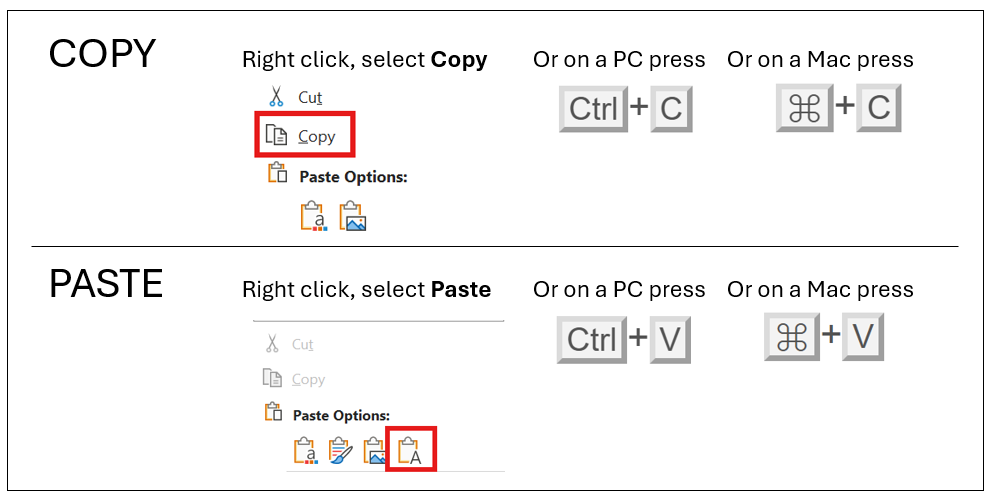
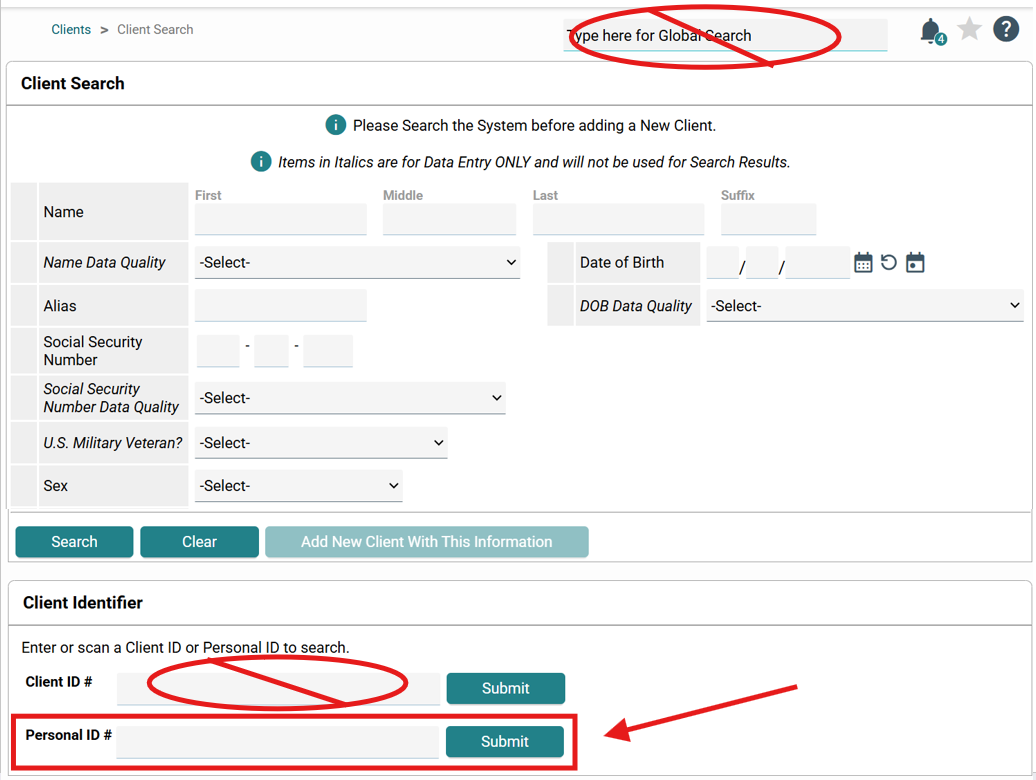
- From the Clients Module, cut and paste (see above for instructions on copying and pasting) the Personal ID into the Personal ID field.
Please note, this will not work in the Global Search bar or the Client ID bar.
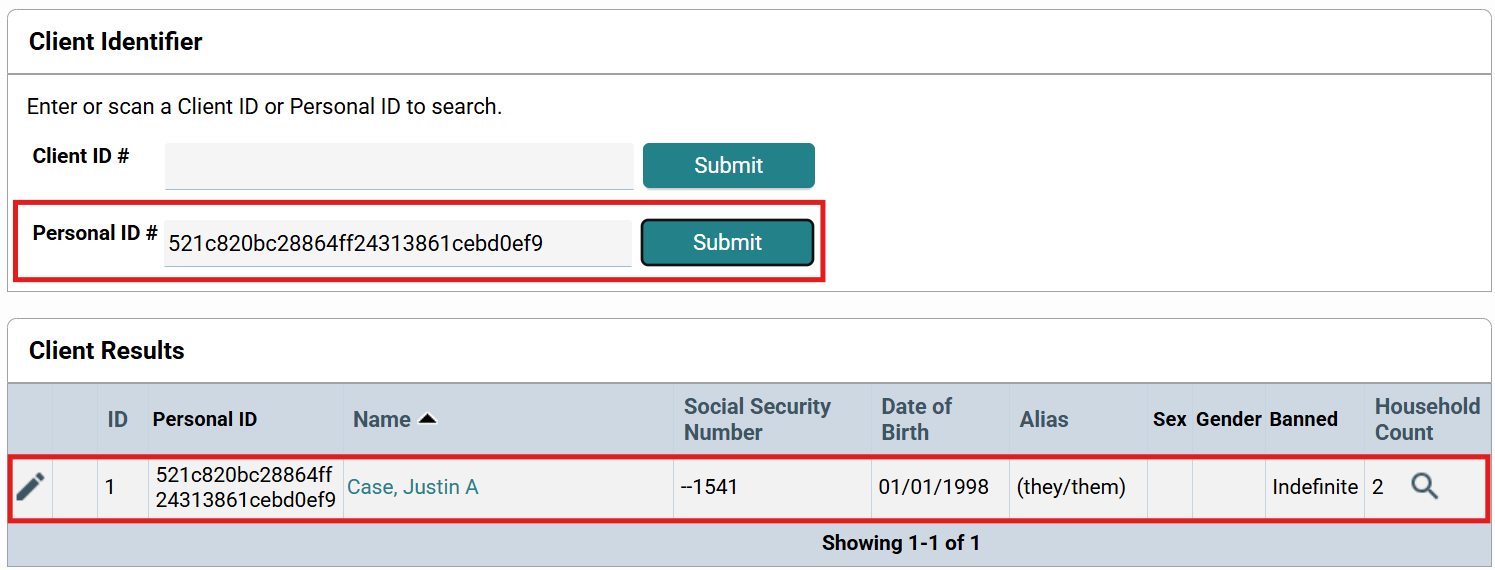
- After the personal ID has been entered, click on Submit, and then scroll to the bottom to find your client.
If more than one client shows up and you are not sure which one to choose, email the
HelpDesk at HSDHelpDesk@lanecountyor.gov.
Was this article helpful?
That’s Great!
Thank you for your feedback
Sorry! We couldn't be helpful
Thank you for your feedback
Feedback sent
We appreciate your effort and will try to fix the article