These instructions are for projects funded with CDBG funds. All CDBG-funded projects have CDBG in brackets in their project name. Example: SVDP-L - Eugene Service Station [CDBG].
Reports are due the 6th of the month following the close of the quarter
Q1 - Oct. 6 | Q2- Jan. 6 | Q3- Apr. 6 | Q4- Jul. 6 |
Before you submit the report, be sure you review and correct the data first. You can review data by running the ESG CAPER. If you made corrections, you will need to wait until the next Business Objects refresh for it to appear on the report.
To run the report:
- Click Reports in the menu on the left
- Click on "SAP BusinessObjects" in the Custom Reports section (hint: if you do not see this link, you do not have an Business Objects license)
- Click on Folders → lanecounty_live-folder → All Provider Reports → CDBG Reports
- Click on the CDBG Reports sub-folder and locate your report. (If you aren't sure which report you should run, read the report description)
- If you are new to BusinessObjects, you may want to review the BusinessObjects Instructions
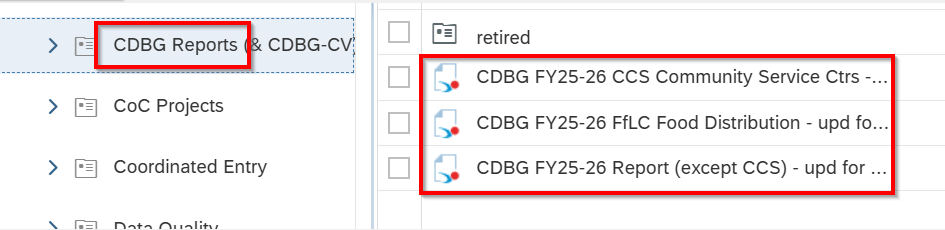
- On the prompt page, Do not enter an EDA provider. Select your project as the CDBG Provider. If you have multiple CDBG projects, you will need to run a report for each separately.
Download Instructions:
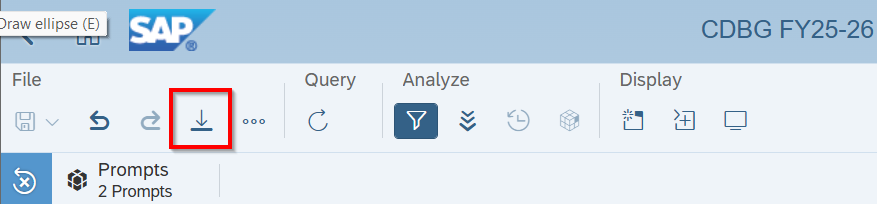
- In the top section of the report, click on the download button (an arrow pointing down toward a line).
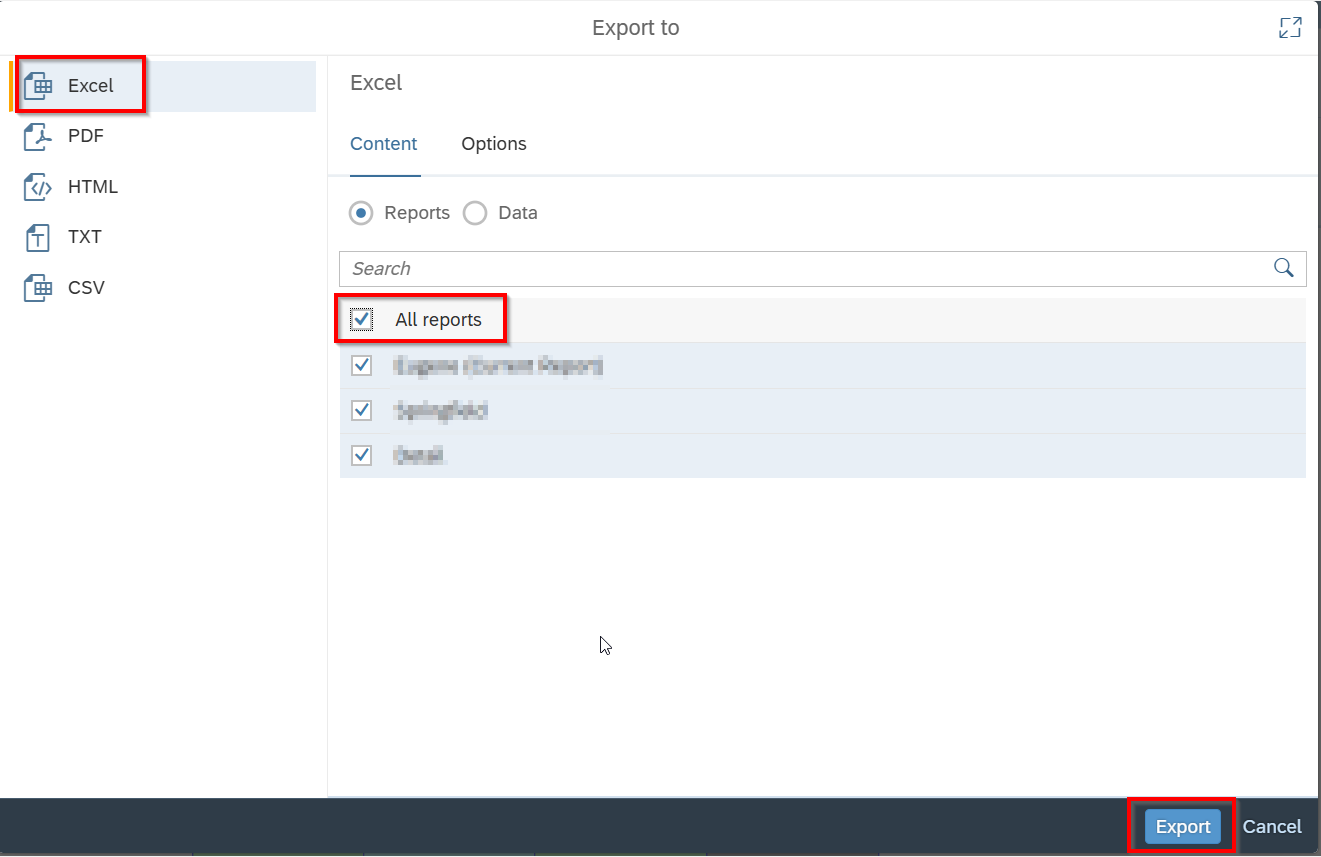
- Choose Excel, All Reports, and then click on Export.
Once you have downloaded the report, open it and review the detail tab. CDBG only funds clients who have an AMI below 80% AND whose current residence is Eugene (for Eugene CDBG) or Springfield (for Springfield CDBG).
If you notice missing or incomplete data in the CDBG report, please review this with your staff. Remember that Business Objects reports only update overnight and once between 1-2pm, so if you make corrections you will need to run this report again after the next refresh.
Once your report has been reviewed, save the report as a .xlsx file and email it to HSDHelpDesk@lanecountyor.gov.
Was this article helpful?
That’s Great!
Thank you for your feedback
Sorry! We couldn't be helpful
Thank you for your feedback
Feedback sent
We appreciate your effort and will try to fix the article